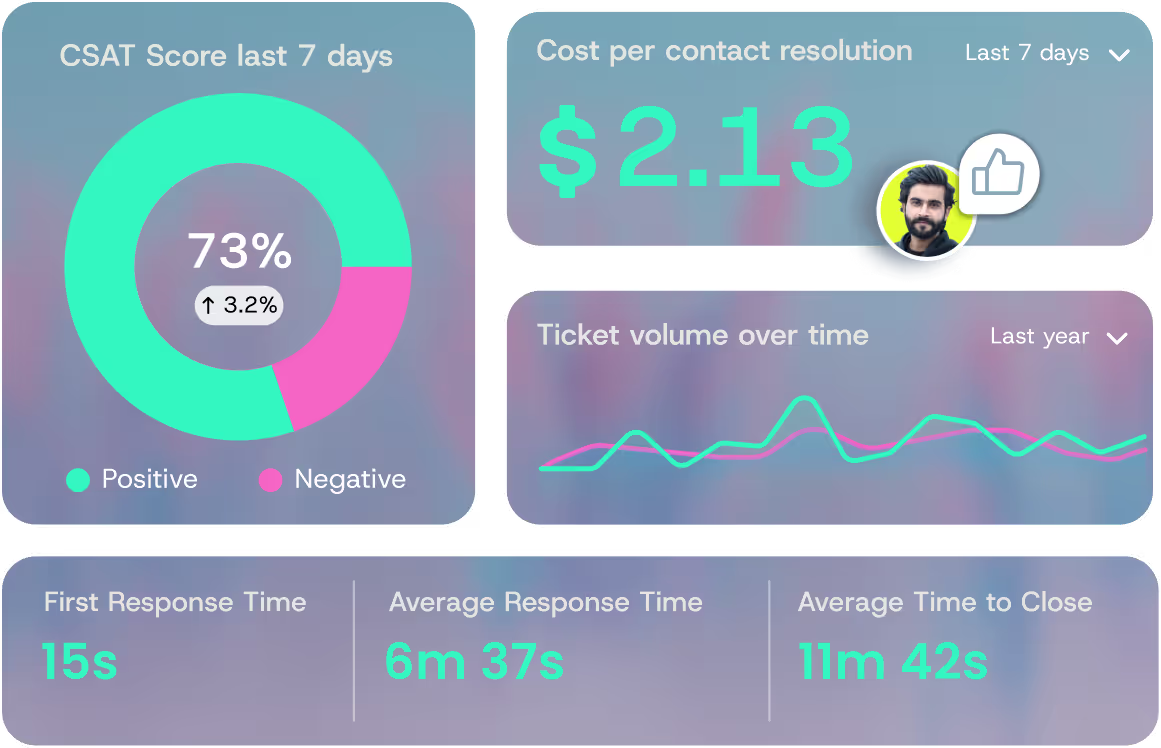
What Is Multi-Channel Customer Support? Benefits, Examples & Best Practices
Multi-channel customer support is the practice of serving customers across separate communication channels (email, phone, chat, social, self-service) where each channel runs as its own support stream.
Customers pick the channel that fits their problem, and your support team meets them there with a consistent answer.
That sounds simple. In practice, most teams running it have channel sprawl, agent burnout, and a resolution rate that flatlines no matter how many channels they bolt on.
This guide walks through what multi-channel support actually is, where it breaks, and how to make it actually resolve tickets at scale.
What Is Multi-Channel Customer Support?
Multi-channel customer support is the practice of offering customer service across multiple communication channels (email, phone, live chat, social media, self-service portals) so customers can choose where and how to reach you.
Each channel runs as its own queue, with its own staff, tools, and SLAs.
The model came up with the digital channel boom of the early 2010s. Back then, "support" usually meant a phone line or an inbox. Live chat, social DMs, in-app messaging, SMS, and now AI assistants all piled on after that.
The average mid-market support team today is juggling five or more channels in parallel.
The distinction that matters at this stage is simple. Single-channel support funnels every issue through one path (usually phone or an inbox). Multi-channel support gives the customer options, and that choice alone tends to nudge CSAT up.
It also creates a coordination problem most teams underestimate.
Multi-Channel vs. Omnichannel Customer Support
People use these two terms interchangeably all the time. They aren't the same thing.
Multi-channel means many channels run separately. Omnichannel means many channels, unified by shared context. The difference shows up the moment a customer switches channels mid-issue.
In a true omnichannel setup, an agent picking up a chat right after a customer's email can see the email, the order history, the past tickets, and the product the customer is using.
In pure multi-channel, the agent sees only the chat. The customer ends up repeating themselves to a second agent who has no idea what the first one said.
According to Salesforce's State of the Connected Customer report, customers expect this kind of context to follow them across channels, and patience runs out fast when it doesn't.
Plain truth, most teams calling themselves "omnichannel" are running multi-channel with a CRM bolted onto the side.
The label gets used because it sounds modern. Unified context is hard, and most stacks don't deliver it without serious integration work.
6 Common Multi-Channel Customer Support Channels
Channel mix matters more than channel count. Adding channels for the sake of it just multiplies the surface area your team has to staff and monitor.
Pick the channels your customers actually use and the channels that fit your team's complexity profile. Here are the six most common.
Email Support
Email is asynchronous, well-documented, and scales without staffing pressure during off-hours. It is the right channel for confirmations, low-urgency issues, and anything with attachments.
The downside is real. Email is slow, easily lost in the inbox, and brutal for threading complex issues. By the third reply, you're staring at a mess of quoted text that nobody wants to read.
Live Chat and Messaging
Live chat is real-time, AI-friendly, and often the customer's preferred channel for medium-complexity issues. It works well for in-product help, mid-funnel pre-sale questions, and account changes.
The weakness is context loss. If chat history isn't stitched into the ticket record, every new session starts cold. That breaks the customer experience the moment they come back the next day.
Phone and Voice Support
Phone is high-touch, fast for complex problem resolution, and the right call for emotionally charged conversations. Complex billing disputes, escalations, and high-value account issues belong here.
It is also the most expensive channel to staff. Cost-per-contact runs two to three times higher than chat, agent capacity is constrained, and queue times destroy CSAT the second they tick past three minutes. The gap traces back to concurrency, the single distinction at the heart of chat vs. voice customer service, since a phone agent runs one conversation at a time while a chat agent runs several.
Social Media Support
Social is public-facing. It meets customers where they already are and your response speed signals brand health. Outage acknowledgements, brand-sensitive issues, and consumer SaaS audiences all benefit.
The risk is real, though. SLAs are inconsistent, the inbox is noisy, and a single complaint can blow up before anyone responds. Use it carefully and resource it properly or skip it.
Self-Service Knowledge Base
A knowledge base is the cheapest channel you can run and the most scalable. It's always available, never offline, and handles common questions at near-zero marginal cost. But it's only as good as the documentation.
Articles decay fast without maintenance, generic search results frustrate users, and a poorly written help center actively pushes customers into chat or phone tickets that didn't need to happen in the first place.
In-Product / In-App Support
In-product support has the highest context and the lowest customer friction. The customer doesn't leave the workflow to ask the question, which means resolution can happen inside the product itself.
The cost is engineering investment. Building it well takes design and dev time. And if it routes to humans, it is harder to staff because the volume is unpredictable.
Best fit is SaaS dashboards, fintech apps, and any product where the issue happens inside the experience itself.
Examples of Multi-Channel Customer Support in Action
Channel checklists are easy to publish. They don't show what good multi-channel support actually looks like under load. These examples are closer to how it plays out in real teams.
A B2B SaaS user hits an integration error at 11 AM. They search the help center first, find a partial answer, then escalate to live chat. An AI assistant pulls their past tickets and the integration logs to resolve the issue inline.
The customer never opens a phone ticket. Three channels touched. One resolution. No human escalation needed.
A fintech customer disputes a transaction via mobile chat at 9 PM. They call back the next morning. Without unified data, the phone agent restarts the conversation from scratch and the customer is fuming inside for two minutes.
With multi-channel done well, the phone agent has the chat transcript and the dispute is closed in four minutes. Same channels. Different outcome.
An IT admin opens a support request through Slack inside their company workspace. The same support team handles email tickets, Zendesk forms, and Slack threads from one unified queue.
The Slack message is resolved in-thread. The admin never leaves Slack. The team never opens a separate Zendesk ticket. That's what a well-integrated multi-channel looks like for B2B technical buyers.
The Real Benefits of Multi-Channel Customer Support
When the foundations are right, multi-channel support delivers measurable wins. These are the ones that show up on the next quarter's review.
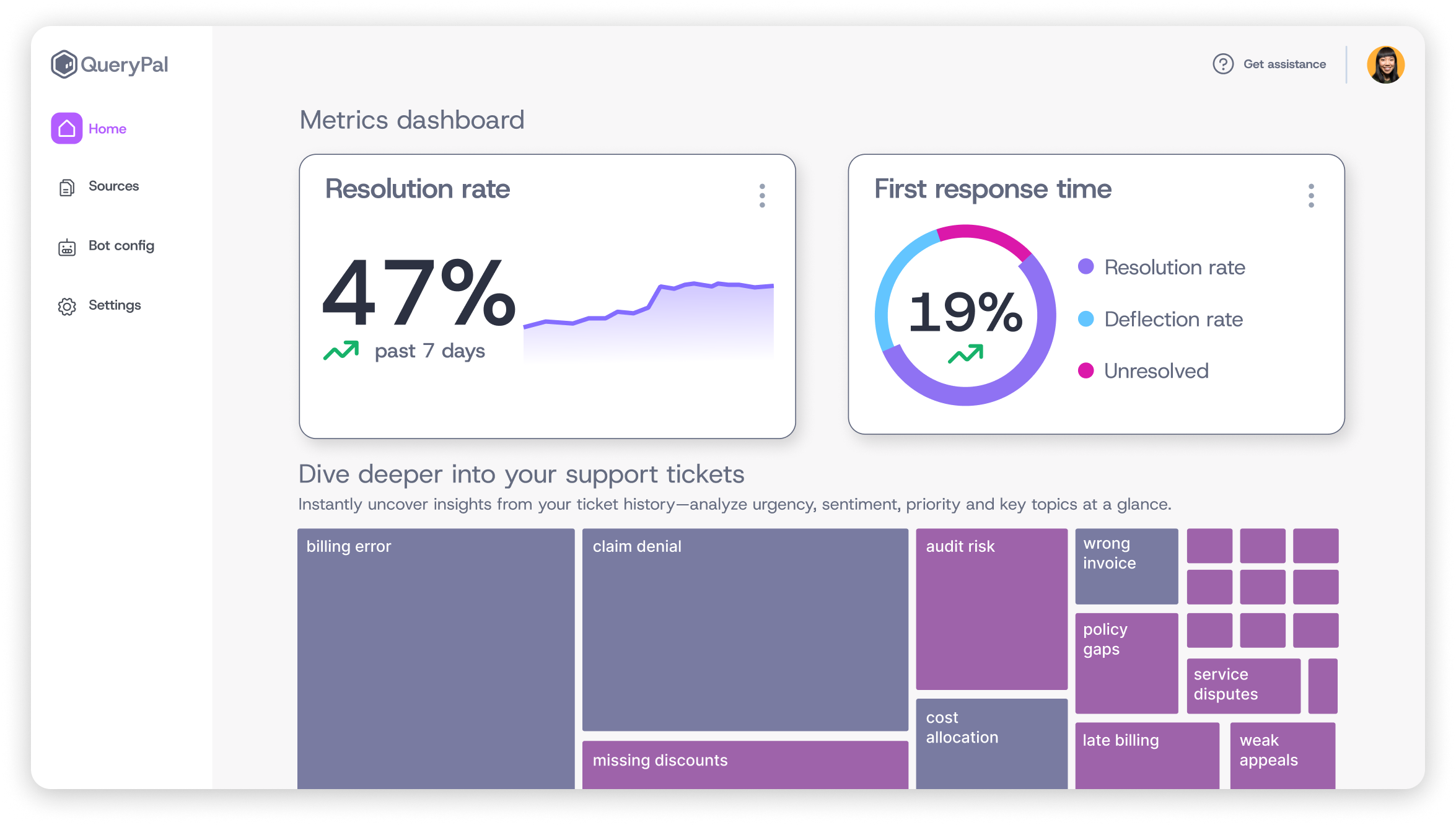
- Customer convenience and reach. Customers expect to reach support on the channel of their choice, and they will switch vendors over it. Letting them pick (and getting them a quick answer when they do) widens your reach without changing the product.
- Faster average resolution when channels match issue complexity. Phone for complex, chat for medium, self-service for simple. Single-channel forces every issue through one path, which means simple questions wait behind complex ones and complex questions get rushed. Channel routing fixes that.
- Lower cost-per-contact across the support org. Self-service and chat are dramatically cheaper than phone. Industry estimates put cost-per-contact at $6 to $12 for a chat or email ticket, with phone running two to three times higher. Shifting volume to the right channel without dropping CSAT is one of the fastest wins in support economics.
- Better data for CX and product teams. Channel data reveals friction patterns the product team can fix at the source, which reduces ticket volume in the long run. The pattern of issues that cluster in one channel often points to a product gap that engineering can close.
- Reduced agent burnout from over-reliance on one queue. Agents handling a healthier mix of channel types and ticket complexity stay sharper longer. Burnout in support orgs is a leading indicator of attrition. Channel variety helps blunt it.
Where Multi-Channel Customer Support Falls Short
This is the part most articles skip. Stacking up channels gives customers more places to ask the same question, more queues for your team to monitor, and more handoffs to fumble.
Resolution doesn't go up just because the channel list does.
- Channels run as silos. Customer context resets at every handoff. The customer ends up repeating themselves to three different agents on three different channels for the same issue. That's the experience your CSAT score is actually measuring.
- Agents context-switch across channels and burn out faster than agents in a single high-quality queue. Every channel has its own tone, its own keyboard shortcuts, its own SLA pressure. The cost of switching adds up over a 40-hour week.
- Most "AI deflection" tools just route customers to articles, then mark a redirect as a win. The deflection rate climbs. The actual resolution rate stays flat or drops, because a redirect to a help article that doesn't actually answer the question still leaves the customer with the original problem. Gartner's customer service and support research consistently flags the gap between self-service attempt rates and self-service resolution rates. Most leaders assume the two numbers are close. They aren't, and the gap shows up in CSAT.
The real fix lives one layer up. Plug AI into the help desk your team already runs so it can actually resolve issues, instead of bolting a redirect bot onto every channel and fragmenting the experience further.
Best Practices for Multi-Channel Customer Support
These practices are the ones that separate teams running multi-channel well from teams stuck in channel sprawl.
Centralize Customer Data Before Adding Channels
A new channel without unified data multiplies friction. The first investment is a CRM or help desk that stitches together every channel's history under one customer record.
If a chat agent can't see the email thread, what you've actually got is a stack of parallel single channels with a shared logo on top.
Audit which channels currently share data and which don't. Plan integrations before adding new channels. Data first, channels second.
Match the Channel to the Issue, Not the Other Way Around
Use channel routing to direct simple issues to self-service, medium issues to chat or AI, and complex issues to phone or escalation queues. Each channel handles what it's best at.
Resist the temptation to make every channel handle every issue type. That's how queues bloat, agent SLAs slip, and CSAT collapses. A channel doing one thing well beats a channel doing five things badly.
Use AI That Resolves, Not Just Redirects
Skip the per-channel chatbot. Plug AI into the help desk your team already runs (Zendesk, Jira, Slack) so it resolves issues in-thread, inside the system your agents and customers are already in.
The right AI pulls from documentation, past tickets, and internal systems to resolve issues directly inside the ticket.
QueryPal Intercept, for example, has hit 90% approval ratings on its responses and cuts time-to-resolution by 70% inside the help desks it deploys into.
That's the bar AI has to clear in multi-channel support. Real resolution, every ticket.
Train Agents to Carry Context Across Channels
The tooling matters less than the workflow. Train agents on what to surface when picking up a ticket from another channel, things like the customer's last interaction, the open product issue, the past month's ticket pattern. Give them clear handoff protocols.
This is one of the few cases where process investment beats tool investment. The best tool in the world won't fix a team that doesn't know how to read a customer's history before responding.
Measure Resolution, Not Just Volume
Track CSAT on each channel. First-contact resolution rate. Re-contact rate within 48 hours. Cost per resolution, not cost per ticket. These are the metrics that show whether your multi-channel setup is actually working.
Volume-only metrics (tickets handled, deflection rate) hide the resolution gap. A high deflection rate looks great in a dashboard. It looks terrible in a Trustpilot review. Pair volume metrics with quality metrics every time.
How to Choose the Right Multi-Channel Customer Support Software
Software stacks for multi-channel support get bloated fast. The right approach is to evaluate against the use case, not the feature list. A few things to look for:
- Integrations with the help desk the team already runs (Zendesk, Intercom, Freshdesk, Jira Service Management). If the new tool requires a rip-and-replace, the rollout cost will eat the ROI.
- Security and compliance such as SOC 2 Type 2, GDPR, and optional self-hosting for regulated industries. Anyone selling to fintech, healthcare, or enterprise IT will get blocked at the security review without these.
- AI that pulls from real systems (documentation, past tickets, internal databases) rather than a generic chatbot trained on public data. The quality difference shows up in week one.
- Channel coverage that matches the actual customer base, not a checkbox list. A tool that handles five channels well beats one that handles 15 poorly.
Resist the chatbot-on-every-channel pattern. Centralize the AI layer so it resolves consistently across email, chat, Slack, and Zendesk rather than producing five different answers from five different bots.
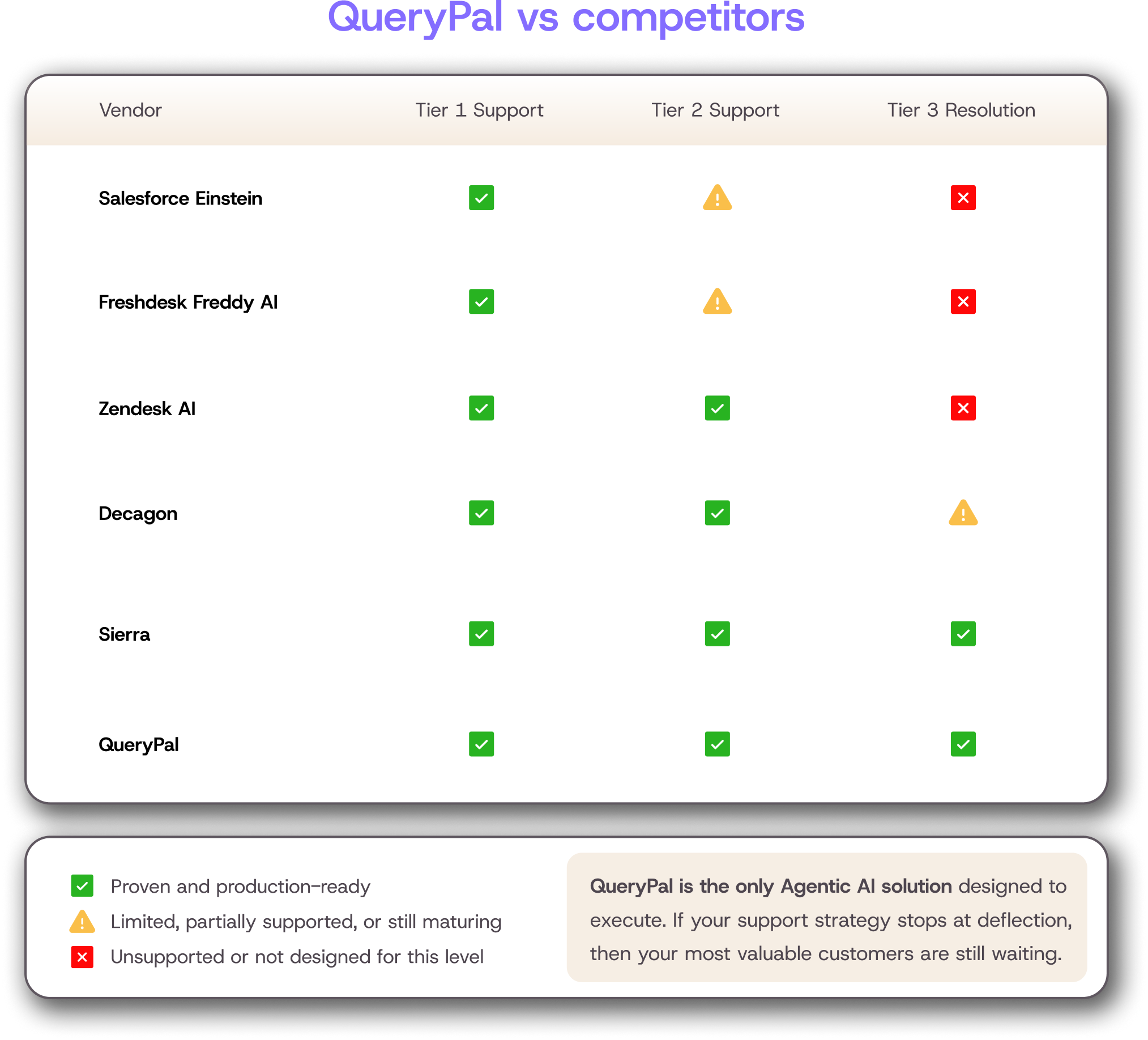
The category to look at here is agentic AI that automates certain aspects of your customer service operations. Vendors worth evaluating include QueryPal, Forethought, Decagon, Sierra, and Aisera.
Each has a different center of gravity, so map the evaluation to your actual stack and compliance needs before signing.
Frequently Asked Questions
What is multi-channel customer service?
Multi-channel customer service is the practice of supporting customers across multiple communication channels (email, phone, chat, social, self-service) where each channel runs independently. Customers pick the channel that fits their problem, and your team meets them there.
What does multi-channel support mean?
Multi-channel support means giving customers more than one way to reach you. The defining trait is that channels run separately rather than as a unified experience. That separation is the difference between multi-channel and omnichannel.
What is an example of a multi-channel?
A SaaS company that offers email tickets, in-app chat, a help center, and a Slack-based support channel for enterprise customers is running multi-channel support. The customer can choose any of those channels, and each one is staffed and triaged on its own queue.
What is an example of omnichannel support?
Omnichannel support is when those same channels share context. A customer starts a chat at 3 PM, calls back at 5 PM, and the phone agent already sees the chat transcript, the order history, and the open product issue without asking. The customer never repeats themselves.
Making Multi-Channel Customer Support Work for Your Team
The channels are the easy part. Buying another seat license is not a strategy. Resolution is the hard part. Whichever channel a customer picks, they should get a real answer fast and never have to explain the problem twice.
Multi-channel done well gives customers faster paths to a real answer no matter where they start the conversation. That's the version worth building.
QueryPal Intercept is built for that version. It plugs into the help desks your team already runs (Zendesk, Jira, and Slack) and resolves tickets in-thread, pulling from your own documentation, past tickets, and internal systems instead of redirecting customers to a help article and calling that a resolution.
The teams using it are scaling support without scaling headcount, with SOC 2 Type 2 and GDPR compliance built in so the security review clears on the first pass. See how it works at querypal.com.

Activate your free
6 week trial
& white-glove integration support.
Cut support costs by 60%, slash response & resolution times, improve your customer experiences, & reduce agent burnout. Find some time with us to show you how.