Legacy Software Modernization for Your Customer Support Team
Your support agents are stuck. They switch between a dozen screens all day. They manually copy data and search for answers they should already have. This is the daily grind with old, legacy systems.
Upgrading these tools isn't just an IT project. It's a strategic move to solve problems faster, give consistent answers, and empower your team. This legacy software modernization transformation also protects your service agreements.
This guide shows you the signs of a broken system and the practical steps to fix it. We'll help you build a business case that delivers real, measurable results. Keep reading to build a business case that delivers tangible results.
Here's Your Quick Rundown
Old systems slow down your team, hurt customer satisfaction, and burn out your agents.
Start your upgrade with small, high-impact pilots that show value quickly.
The goal is smarter resolutions, not just deflecting tickets. Modern tools unify customer information to help your team act.
Why Your Customer Support Team Feels Legacy Pain First
Our support teams feel the friction of outdated systems every day. They jump between different applications, re-enter the same data, and wait for slow system lookups.
Every second of delay adds up, leading to longer customer wait times and more frustrating conversations.
This friction has real consequences for our customers and our businesses.
- Higher costs: Longer handle times directly increase our operational expenses.
- Eroded trust: Inconsistent information forces customers to contact us repeatedly, damaging their confidence in us.
- Brand risk: The manual workarounds our agents rely on can introduce errors that harm our reputation.
There's also a significant operational risk to consider.
- Brittle systems: Fragile integrations tend to break right when we need them most, during peak volume.
- Compliance gaps: Relying on manual processes can create openings where we fail to meet regulatory requirements.
- Operational halts: When we need to patch our systems, the resulting downtime can stop our entire support operation.
We believe the solution starts with a smarter assistant for our team, not just another tool to manage. An intelligent AI assistant for customer support works by integrating directly with our existing systems.
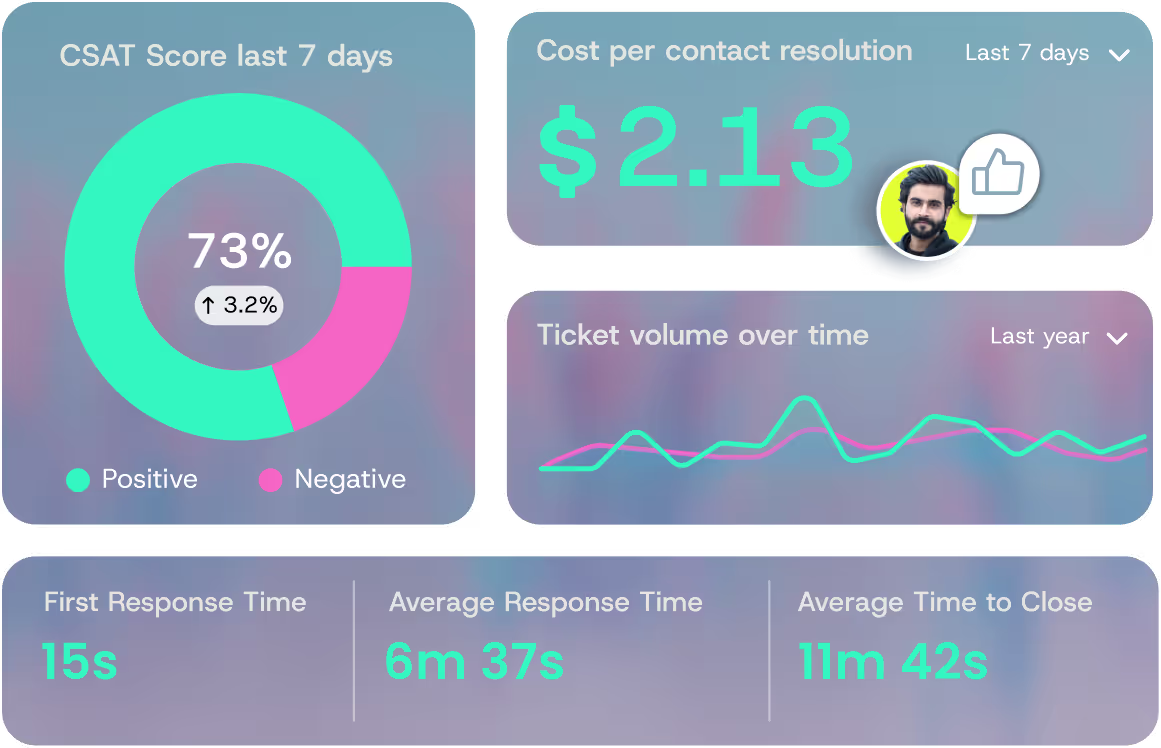
This allows it to unify customer context and automate routine tasks right within our workflow. The goal is to cut down on the manual searching and data-switching that slows our agents down, helping them resolve issues faster and with greater consistency.
Signs It's Time to Modernize Your Support Stack
How do we know if our tools are the problem?
The signs show up in our daily work. We see our average handle times creeping up. More tickets get escalated to senior agents because the frontline can't find the answers.
Our backlog keeps growing, and our team's frustration is visible. They tell us they spend more time battling our software than actually helping customers.
We should also look at our visibility and agility. Are our reports trusted? Can they show a customer's complete journey with us, or is their history split across five different tools?
If adding a new support channel, like WhatsApp, requires months of development work, that's a red flag. If every routine software update feels like a high-risk event, our foundation is too rigid.
These aren't just minor annoyances. They are clear signals that our current technology is working against our team's goals. When our systems create these barriers, it's worth exploring solutions that work within our existing setup.
An integrated assistant is designed to connect to our current tools. It pulls information together into a single view for our agents, which can help reduce those handle times and escalations by giving our team the context they need, right where they're already working.
The Real Risks of Postponing Modernization
If we keep putting this work off, the problems in our support team will only get worse. Our collection of different tools makes training difficult and creates messy, inconsistent ways of working.
Every outdated system we don't update adds another security risk, and we lose track of who accessed what.
The biggest danger a company can face might be falling behind. Customers expect support to be smooth, fast, and available anywhere. That's just the standard now.
Another company with smarter tools could fix an issue before our team finishes opening all their applications. Without software scalability, systems buckle under growing ticket volumes and expanding customer bases. Choosing not to act has a clear price: we could lose customers, watch our costs go up, and lose our ability to change direction when we need to.
To move forward, we need to bring our tools together. Instead of managing a dozen separate systems, we should look for a solution that connects to what we already use.
This kind of integrated approach reduces the clutter and the security gaps. It gives our team a single, clear place to work, helping them meet customer expectations without starting over from scratch, learning new systems.
Common Modernization Barriers Support Leaders Might Face
The path forward has clear obstacles, but each can be managed. Time is a major concern. Big-bang replacement projects often fail in dynamic support environments. The solution is a phased approach that delivers value incrementally without disrupting service.
Cost is another barrier. The business case must reframe the conversation from upfront expense to ongoing leakage. Calculate the money lost today through maintenance fees, licensing sprawl, and the rework caused by manual errors.
Modernization pays for itself by plugging these leaks.
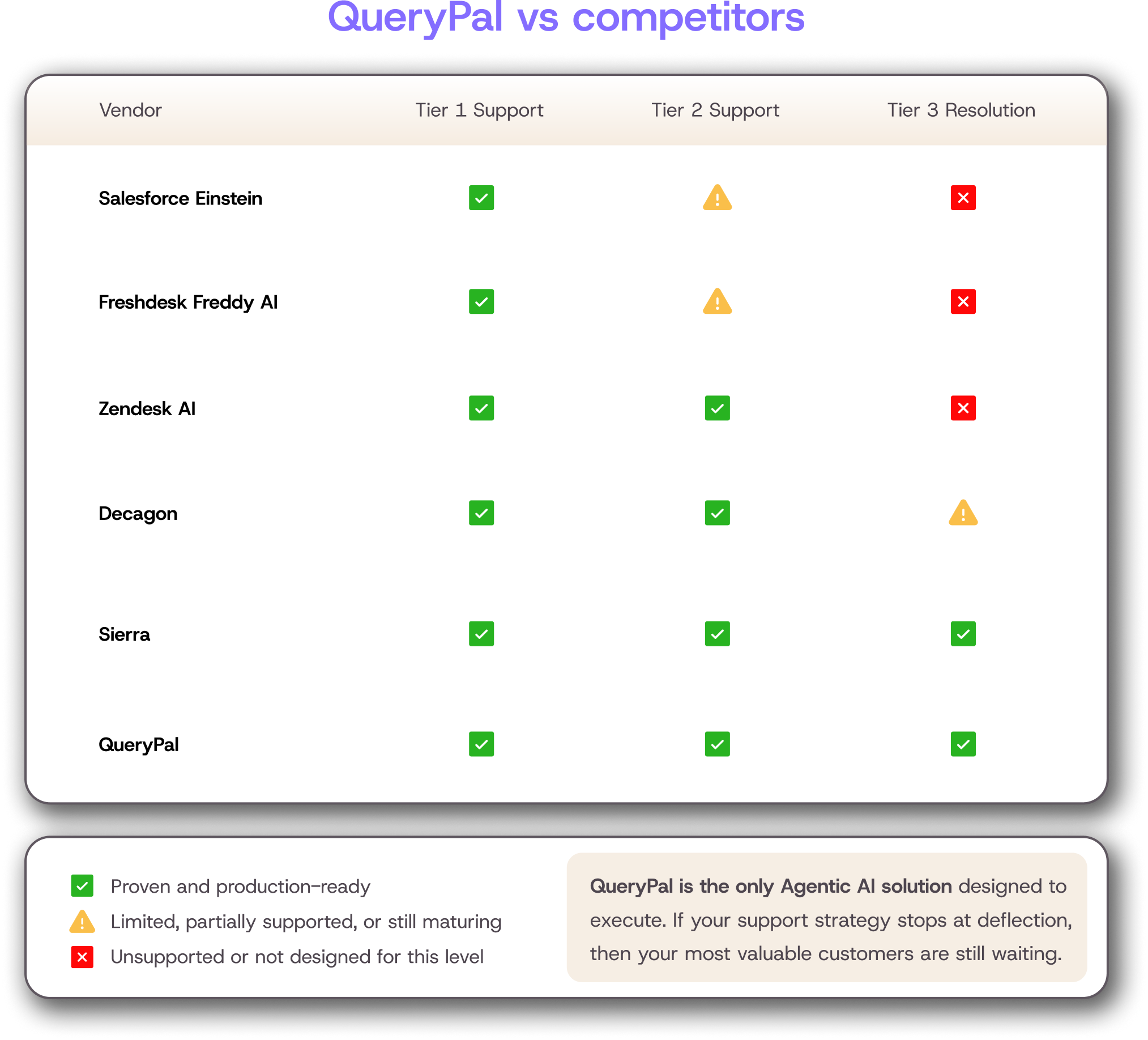
The fear of unpredictability is real. Control this risk by starting with well-defined pilots and establishing clear metrics for success before you scale.
Modernization Approaches That Work for Customer Support
We have three main strategic paths, each suited for a different scenario.
1. Extend and Enhance
This is for quick customer experience wins. Instead of replacing core systems, add a layer of intelligence on top.
- Implement a unified agent workspace that pulls data from CRM, billing, and product tools into one view.
- Automate repetitive steps like ticket routing, tagging, and approvals.
- Improve reporting dashboards without changing the underlying systems.
For organizations looking to streamline operations, automated ticket deflection systems can significantly reduce manual workload while maintaining service quality.
2. Refactor Key Workflows
Target the high-friction processes that cause the most daily pain.
- Identify top workflows like client authentication or compliance escalations.
- Break these brittle, manual processes into reliable, reusable services or stable APIs.
- This stabilizes operations across all channels and sets the stage for deeper automation.
3. Rebuild or Replace
Consider this when the core foundation itself blocks growth.
- Signs include chronic downtime, inability to meet new compliance standards, or no omnichannel readiness.
- The critical tactic is to plan parallel runs and careful cutovers to avoid service disruption.
- Sunset legacy modules methodically to prevent "zombie systems" from lingering.
Need A Practical Roadmap for Modernizing Support? Here's the Easiest Route:
A successful upgrade follows a clear path: discover, prioritize, pilot, scale, and retire. Time your releases carefully to avoid peak seasons and major launches. From day one, establish clear governance with defined owners, change control, and escalation paths.
Step 1 - Assess Your Current Support Architecture
Start with a straightforward inventory. Map all your systems, integrations, and how data moves between them. Identify where the single source of truth is, and where your agents actually have to work.
Look for the failure points: slow response times, manual data re-entry, frequent errors, and fragile connections. Measure the impact in terms that your finance team will understand.
Track minutes wasted per ticket, how often tickets are reopened, the volume of escalations, and hours lost to incidents.
Step 2 - Prioritize by Support Outcomes
Rank your initiatives by how directly they affect key results. Focus on metrics like first-contact resolution, average handle time, and customer satisfaction scores.
Choose a small, focused pilot that can show value in just a few weeks. A good example is automating a common customer status inquiry. For each phase, define what success looks like using both hard numbers and feedback from your agents.
Organizations seeking to understand broader digital transformation trends should explore comprehensive customer service transformation strategies that align with modern business needs.
Step 3 - Modernize Incrementally with Safe Releases
Protect your service levels by using safe release methods. Employ feature flags, canary rollouts, and have rollback plans ready for any change to critical workflows. Test against complete customer journeys, not just isolated parts of the system.
Create a detailed cutover playbook that covers agent training, customer communications, support coverage plans, and how to respond if something goes wrong.
Data, AI, and Automation as Modernization Accelerators
A modern architecture provides powerful accelerators for our team. When customer data is unified, it improves personalization and cuts down on repeat questions. Agents get the full context they need right at the start of an interaction.
Unify Customer Context Across Channels
We should standardize how we identify a client and link their accounts across our systems. This includes our CRM, portfolio management tool, billing platform, and support tickets.
We can reduce duplicate fields and conflicting records by setting clear rules for who owns each piece of data.
By tracking consistent events, we gain true visibility into the customer journey. This helps us find the root cause of problems, not just treat the symptoms.
Financial services firms require specialized approaches to data unification. Understanding AI applications in financial services can provide valuable insights for modernization planning.
Improve Knowledge Management for Consistent Answers
We need a single, governed source of truth for product and policy information. This knowledge base should have clear ownership and regular review cycles. We should integrate it directly into our agents' workflow.
This means providing inline suggestions so they don't have to stop and search a separate database.
We can measure how well this knowledge works by tracking search success rates and how often customers find answers through self-service.
Automate the "Boring But Costly" Work. This Feels Like A No Brainer
We can automate how we route and prioritize tickets. This automation should use signals like client intent, urgency, and their service tier. We can also trigger proactive workflows from business events.
For example, if a fee payment is missed or there's a market alert, we can start resolving the issue before a customer even creates a ticket. We should embed quality and compliance checks directly into the agent's process.
This includes automated policy checks and coaching prompts that appear right where they're working.
Measuring ROI in Customer Support Terms
We should build our return on investment model around concrete support results. We need to calculate the time saved on each customer interaction.
We should track the volume of contacts we avoid through smarter self-service and by fixing issues before they become tickets. We also need to measure the reduction in costly escalations to senior staff.
Our model should include the main levers that lower our cost to serve. This includes the increased capacity of each agent, more optimized staffing models, less rework, and the consolidation of software licenses from all our different tools.
It's important to track the value we deliver at every phase. This ensures we keep our funding and maintain focus. We should use a consistent set of key performance indicators for the entire project.
Modern analytics platforms provide comprehensive insights into these metrics. Enterprise support analytics solutions can help organizations track modernization progress and ROI effectively.
KPI Set to Track Before, During, and After
We need to monitor three main areas: efficiency, quality, and experience.
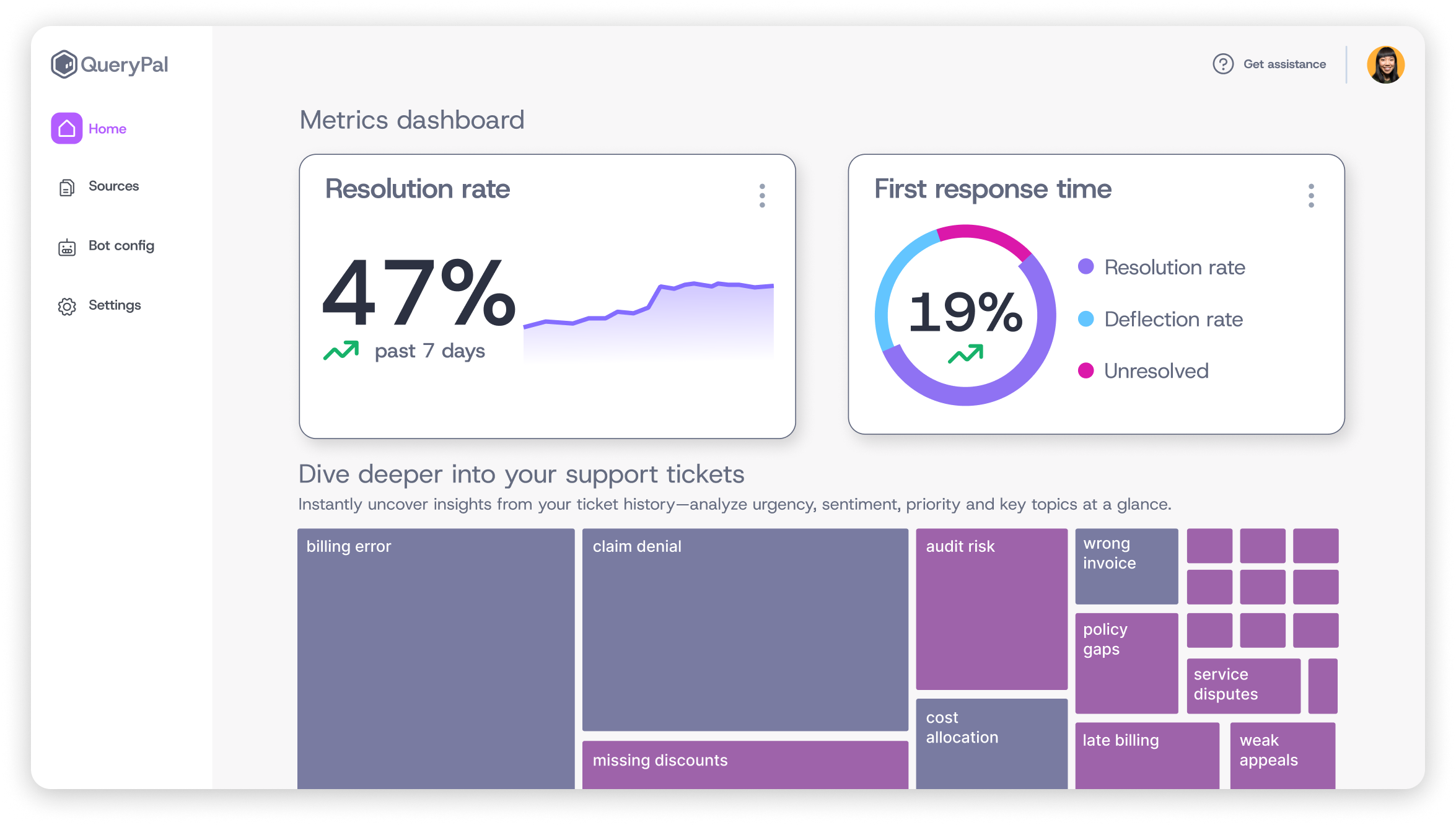
See how a modern, intelligent layer can transform your support experience from a cost center into a strategic asset.
Efficiency: Track Average Handle Time (AHT), after-contact work, the age of our backlog, and tickets handled per agent.
Quality: Measure our First Contact Resolution (FCR) rate, how often tickets are reopened, the escalation rate, and the rate of compliance defects.
Experience: Follow Customer Satisfaction (CSAT) scores, agent eNPS (employee satisfaction), and the time it takes for a new hire to get up to speed.
We should create a monthly scorecard for support, IT, and product leadership. Use clear phase gates in the project to make decisions based on this data. We can decide whether to scale the project, stop it, or change direction.
Finally, we must document the lessons we learn from each phase. This helps us accelerate the next part of our upgrade.
Change Management for Agents and Support Operations
Technology change fails without people changing. Prepare for adoption by identifying agent champions, conducting focused training, and holding regular office hours. Update your standard operating procedures, escalation paths, and quality assurance rubrics to align with the new, streamlined workflows.
Establish continuous feedback loops. Use agent surveys, monitor usability signals, and implement simple ticket tagging to capture friction points in real time. Your agents are your best source of intelligence for refining the new system.
Wealth management firms facing similar challenges can benefit from understanding specialized automation approaches that preserve personalized service while improving efficiency.
A Support-Led Path to Modernization That Sticks
The core takeaway is that successful modernization is phased, support-led, and KPI-driven. It starts not with a vendor selection, but with a clear assessment of your own architecture and pain points. Prioritize thin-slice pilots that prove value quickly, then scale safely with the lessons learned.
Your next step is to pick one high-friction, high-volume workflow. Define what success looks like in concrete terms, and build a business case for modernizing that single thread. This focused approach de-risks the journey and builds momentum.
Legacy software modernization requires a strategic approach that balances innovation with operational stability. By following this roadmap, organizations can transform their support operations while minimizing risk and maximizing return on investment.
See how a modern, intelligent layer can transform your support experience from a cost center into a strategic asset. Book a demo with QueryPal to explore a resolution-focused approach built for the complexities of financial services.

Activate your free
6 week trial
& white-glove integration support.
Cut support costs by 60%, slash response & resolution times, improve your customer experiences, & reduce agent burnout. Find some time with us to show you how.